I was looking for inspiration, something that always inspires me is looking up Jerry Uelsmann and Maggie Taylor's work both of them have a unique style that is their own. They both do surrealism and photo montages in a different way, and also use different media. There work is amazing! www.maggietaylor.com/
www.uelsmann.com/
Creating Highlights and Shading with Color
When using highlights and shading to light with colors, take for example the color yellow as the light source. It is useful to use a cool color (like dark blue) as the shadow color. Using the cool and warm colors in the image makes the image more vibrant and flowing. I learned this technique from painting. Also, don't be limited by just using the opposite color on the color wheel, you can also use proximal colors. For example, yellow has the light and purple as the shadow.
Cave Drawing Photo Montage
For this image I plan on incorporating a person into a cave drawing. For this I had to shoot photos of rock textures and also had to shoot a studio portrait shot. For inspiration I looked up cave drawings on "google" and from there I sketched out my idea. Here are some images that helped my idea come to life.
Drawings
At the beginning stage of creating my surrealist image, I first draw my ideas onto a piece of paper. Getting my ideas out of my head and on to paper is a very important step in my creative process. This helps me to conceptualize my ideas in a different media. This step helps to open your mind to different ways to express your ideas. For me this stage helps me with the composition and the perceptive of the image. Also looking at your drawing upside down helps you look at the elements in the image. Here are some of my sketches that help me start off my vision.
Stairway to Heaven
For this image I wanted to express a peaceful environment that is inspired by the cross. I looked up others "stairway to heaven" on google/images. Here are some of the images that made my vision more clear and inspired me to continue with this theme.
"Starry Night" photo montage
For this image I researched on google "meteors showers, constellations, and stars" to help me get a visual idea of what I wanted to do for this image. I used a noise filter in photoshop CS5 to create the stars in the distance. My image needed more elements in it, so I decided to add a meteor shower but because I don't like to use images that are not my own, I had to create stars and a meteor shower from scratch! Here are some of the images that got my started.
First Time Blogging
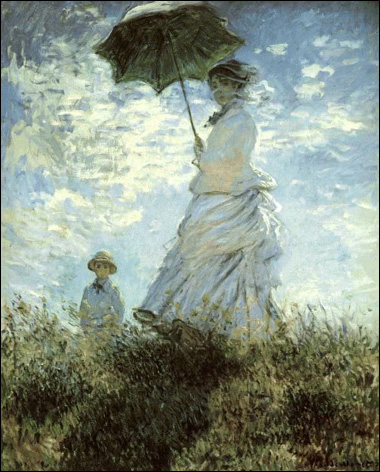
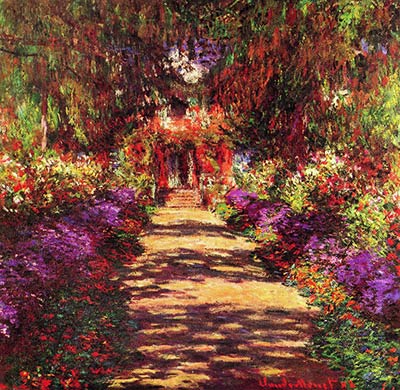
Today I started my blog. Also today I researched on google "Chinese paintings" for one of my photo montages that I am working on. Here are some of the paintings that inspired me.
Subscribe to:
Posts (Atom)